Note: Use VPN if Site is not Working!
CNIC Information
System is specially designed to collect information about ID Card Numbers entered by our valued visitors. The process is straightforward. First, you need to enter the CNIC number. Then click on ‘Search’ and you will see the person’s details, ie their name, address, and how many active SIM cards they have
CNIC Information Pakistan 2026 — How to Check, Verify & Protect Your CNIC Data
Your CNIC (Computerized National Identity Card) is one of the most important identity documents in Pakistan. It is used for a wide range of services, including mobile SIM registration, banking, government services and other identity-verification processes.
If you are searching for CNIC information in Pakistan, you may be looking for different things: how to verify a CNIC number, how to check your own CNIC details, how to check SIMs registered against your CNIC, how to track a NADRA application, or what to do if your CNIC information is being misused Sims.
This guide explains the legitimate ways to check and manage your own CNIC information in Pakistan and how to protect your identity from unauthorized use.
Important: A legitimate CNIC verification service is not the same as a public database containing another person’s complete name, address, family information or private records. Do not trust websites that promise unrestricted access to private CNIC data.
What Is CNIC Information in Pakistan?
CNIC stands for Computerized National Identity Card. It is issued by the National Database and Registration Authority (NADRA) and serves as a primary identity document for Pakistani citizens.
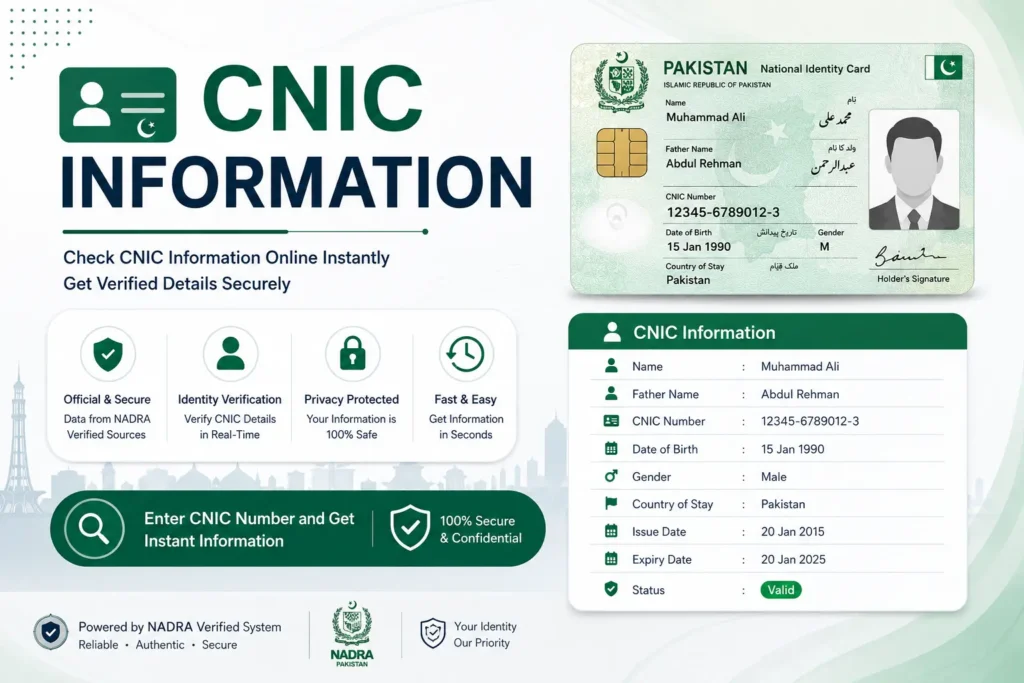
A CNIC is associated with identity information maintained within Pakistan’s national identity system. Depending on the authorized service and verification purpose, information can include details such as:
- CNIC number
- Name
- Date of birth
- Photograph
- Gender
- Address information
- Card issue and expiry information
- Biometric verification information
However, not all of this information is publicly searchable.The information that an ordinary person can access depends on the official verification channel, authorization and purpose of the request.
NADRA maintains Pakistan’s central national identity database and provides identity-verification services through authorized channels.
How to Check CNIC Information Online in Pakistan
The correct method depends on what you want to check.
- If you want to verify your identity
Use an authorized NADRA verification service or NADRA’s official digital services.
- If you want to check SIMs registered on your CNIC
Use PTA’s official SIM Information System.
- If you want to track a NADRA application
Use the official NADRA tracking facility and your application/tracking information.
- If your CNIC is lost, expired or has an identity problem
Contact NADRA through its official support channels.
This distinction is important because CNIC verification, SIM verification and NADRA application tracking are separate services.
How to Check SIMs Registered on Your CNIC
One of the most common reasons people search for CNIC data Pakistan is to find out how many SIM cards are registered against their CNIC.The Pakistan Telecommunication Authority (PTA) provides an official SIM Information System for this purpose.
According to PTA, you can check the number of SIMs registered against your CNIC by:
Method 1 — SMS to 668
- Open your phone’s SMS application.
- Type your 13-digit CNIC number without dashes.
- Send it to 668.
- Wait for the response.
- Review the SIM count associated with your CNIC.
PTA officially states that SIM counts can be checked through 668.
Method 2 — Online SIM Information System
You can also use the official PTA SIM Information System at:
cnic.sims.pk
The online method is useful when you prefer checking your SIM registration information through a browser.
The important point is that this service is designed to help you check SIMs associated with your own CNIC, rather than provide unrestricted access to another person’s private subscriber information.
Why Should You Check SIMs Registered on Your CNIC?
Checking your CNIC’s SIM registrations can help you identify connections that you do not recognize.
An unfamiliar SIM registration may occur because of:
- An old SIM you forgot about
- A connection that you no longer use
- Incorrect registration information
- An unauthorized registration
- Misuse of CNIC information
PTA has previously advised consumers to check their SIM information and provides procedures for correcting irregular SIM registrations.
A simple CNIC SIM check can therefore be an important part of your personal identity-security routine.
What to Do If an Unknown SIM Is Registered on Your CNIC
If your SIM check shows a connection that you do not recognize, take the issue seriously.
Step 1: Confirm the information
Check your CNIC again through the official PTA SIM Information System.
Step 2: Identify the relevant operator
Determine which mobile network is associated with the unfamiliar registration.
Step 3: Contact the operator
Visit the relevant operator’s official customer service center or franchise with the required original identification documents.
Step 4: Request correction or disowning
Explain that the SIM is not in your use and request the appropriate correction/disowning procedure.
Step 5: Keep your complaint/reference information
If a complaint is registered, keep the reference number or other proof for your records.
PTA has documented cases where consumers requested correction of SIM data and irregular SIMs were removed from their CNICs.
Can You Check CNIC Details by CNIC Number?
This depends on what you mean by “CNIC details.”
There is an important difference between:
CNIC verification , accessing someone’s complete private identity record.
Authorized verification services may confirm identity-related information for legitimate purposes, but that does not mean that anyone can publicly search another person’s complete NADRA record.
You should be particularly careful with websites claiming:
- “100% CNIC data”
- “Live NADRA database”
- “Complete CNIC details”
- “CNIC owner name and address”
- “Search anyone by CNIC”
- “Full family tree by CNIC”
Such claims should not automatically be treated as official.
Can You Find Someone’s Address From Their CNIC?
You should not assume that a public website can legitimately provide another person’s complete residential address from their CNIC number.Address information is personal information and should be handled through authorized processes.If you need to verify your own identity information, use the appropriate NADRA service rather than an unofficial CNIC database.Avoid entering your CNIC number into websites that have no clear identity, privacy policy or legitimate reason for collecting it.
Can You Find CNIC Owner Details by Mobile Number?
Searches such as:
“CNIC owner by mobile number”
or
“mobile number to CNIC”
are common, but they can easily lead users toward unofficial databases.A mobile number should not be treated as a public key that gives anyone unrestricted access to another person’s CNIC information.For your own SIM registration, use PTA’s official SIM Information System.PTA specifically provides the 668 system for checking SIMs associated with your own CNIC.
CNIC Verification vs CNIC Data Lookup
These two concepts are often confused.
CNIC Verification
Verification means confirming whether identity information or a CNIC is valid through an authorized process.
CNIC Data Lookup
A data lookup implies retrieving personal information associated with a CNIC.
Public access to someone’s complete private identity record should not be assumed to be available.
CNIC SIM Check
This is a separate telecom-related service that allows a subscriber to check SIMs associated with their own CNIC through PTA’s official system.
Understanding these differences helps you avoid fake “CNIC database” websites.
How to Check Your CNIC Through NADRA
NADRA is responsible for Pakistan’s national identity infrastructure and provides official identity services.For identity-related issues, citizens should use NADRA’s official channels.NADRA also provides customer support for identity services, application status, complaints and general guidance. Its official customer-support information lists 1777 as the NADRA call center.For services requiring identity verification, always make sure you are using an official NADRA channel rather than an unofficial database website.
What Is the 13-Digit CNIC Number?
A Pakistani CNIC contains 13 digits.When entering a CNIC into a service that specifically asks for the CNIC number, the format may depend on the service.For PTA’s 668 SIM check, PTA instructs users to send the CNIC number without dashes.
For example, if your CNIC is displayed as:
XXXXX-XXXXXXX-X
the SMS format is:
XXXXXXXXXXXXX
Do not add spaces or unnecessary characters unless the official service specifically asks for them.
CNIC Expiry and Renewal
Your CNIC has an issue and expiry status that can affect your ability to complete certain identity-verification processes.If your card has expired, is damaged, or has been lost, use NADRA’s official renewal, reprint or replacement services.Do not rely on an unofficial website claiming that it can “activate” or “unblock” your CNIC.For official assistance, contact NADRA through its published support channels.
What Should You Do If Your CNIC Is Lost?
If your CNIC is lost, treat it as an identity-security issue.
You should:
- Contact NADRA through an official channel.
- Follow the official replacement/reprint procedure.
- Monitor important accounts and SIM registrations.
- Check the SIMs associated with your CNIC.
- Report any suspicious activity through the appropriate authority.
Checking your SIM registrations is particularly useful because mobile connections are linked to identity verification.
How to Protect Your CNIC Information
Your CNIC number should not be shared unnecessarily.
Follow these basic security practices:
- Do not upload your CNIC to random websites
A website asking for your CNIC should have a legitimate reason and a trustworthy privacy policy.
- Avoid unofficial CNIC databases
A website claiming to provide “live NADRA data” should not automatically be considered legitimate.
- Be careful with CNIC photocopies
Only provide copies when required by a legitimate organization and follow its stated documentation procedure.
- Do not share OTPs
Your CNIC number alone may not be enough to compromise an account, but combining identity information with OTPs and other credentials can create serious security risks.
- Check your SIM registrations
Use PTA’s official 668 system or cnic.sims.pk to check SIMs associated with your CNIC.
CNIC Data and SIM Registration
CNIC and SIM registration are closely connected, but they are not the same database or service.
NADRA manages the national identity side.
PTA regulates the telecommunications sector and provides the SIM Information System.
A simplified view is:
CNIC → Identity verification → SIM registration → Telecom services
This is why checking your CNIC-linked SIMs can help you detect an identity-registration problem.
Official CNIC & SIM Verification Services
| What you want to check | Official channel |
|---|---|
| CNIC identity services | NADRA |
| NADRA customer support | 1777 |
| SIMs registered against your CNIC | PTA 668 |
| Online SIM Information System | cnic.sims.pk |
| CNIC/SIM registration problem | Relevant operator + PTA |
| Identity verification | Authorized NADRA services |
PTA confirms the 668 and cnic.sims.pk methods for checking SIMs registered against a CNIC.
Is CNIC Data Available Publicly Online?
No legitimate public search should be assumed to provide unrestricted access to a person’s complete CNIC record.
You may find websites using terms such as:
- CNIC database
- CNIC data
- Pak ID data
- NADRA database
- CNIC owner details
- CNIC information online
But the presence of these keywords does not establish that the service is official.
A trustworthy guide should distinguish between official verification and unofficial data claims.
Why You Should Avoid “Live CNIC Database” Websites
Websites promising complete CNIC records can create several risks.
- Privacy risk
You may be submitting your own CNIC to an unknown operator.
- Accuracy risk
Old or copied databases may contain outdated information.
- Security risk
Some websites may use aggressive ads, suspicious downloads or misleading payment requests.
- Legal risk
Attempting to obtain another person’s private identity information without authorization can create serious legal and privacy problems.
For your own CNIC and SIM information, official channels are the safer choice.
CNIC Information Pakistan — Quick Guide
If you only need the answer quickly, use this checklist:
Need to check SIMs on your CNIC?
→ Send your CNIC without dashes to 668.
Prefer an online SIM check?
→ Use cnic.sims.pk.
Need CNIC identity services?
→ Use official NADRA channels.
Lost or expired CNIC?
→ Contact NADRA and follow the official replacement/renewal process.
Found an unknown SIM?
→ Contact the relevant mobile operator and request correction/disowning.
Want another person’s complete CNIC data?
→ Do not use unofficial lookup databases.
Frequently Asked Questions
How can I check my CNIC information online in Pakistan?
Use official NADRA services for identity-related information. The exact service depends on whether you need identity verification, application tracking, renewal or another NADRA service.
How can I check SIMs registered on my CNIC?
Send your 13-digit CNIC without dashes to 668, or use PTA’s official SIM Information System at cnic.sims.pk.
Can I check someone else’s CNIC details online?
You should not assume that another person’s complete CNIC information is publicly available. Use only authorized verification services and legitimate purposes.
Can I find a person’s address using their CNIC?
A legitimate public CNIC-check service should not be treated as a tool for obtaining another person’s private residential address.
What is 668?
668 is PTA’s SIM Information System service for checking the number of SIMs registered against a CNIC.
Is CNIC verification the same as SIM verification?
No. CNIC verification relates to identity information, while SIM verification relates to a mobile connection and its registration.
What should I do if I find an unknown SIM on my CNIC?
Confirm the result through PTA’s official system and contact the relevant mobile operator to request correction or disowning of an unauthorized connection. PTA has published guidance on removing irregular SIMs from a consumer’s CNIC.
Is cnic.sims.pk an official SIM-check website?
PTA’s website identifies cnic.sims.pk as the web facility for checking the count of SIMs registered against a CNIC.
What is NADRA’s helpline?
NADRA’s official customer-support page lists 1777 as its call center for identity services, application status, complaints and general guidance.
Conclusion
Your CNIC is more than a 13-digit number. It is an important part of your digital and legal identity in Pakistan.The best way to protect your CNIC information is to use official verification channels, avoid suspicious “live database” websites, keep your identity documents secure and periodically check the SIMs registered against your CNIC.For SIM registration, PTA officially provides 668 and cnic.sims.pk. For identity-related services, use official NADRA channels.Verify your own information. Protect your identity. Avoid unofficial CNIC databases.