Zong SIM Owner Details — Complete Free Verification Guide 2026
The definitive guide to checking Zong SIM ownership in Pakistan. Learn every free, official method to verify Zong SIM owner details — CNIC to 310, V to 7911, 668, MNP to 667, and My Zong App. Fully updated for Zong’s new NADRA facial-recognition biometric partnership, its 110 MHz 5G spectrum win, and PTA’s new June 2026 365-day SIM policy. Covers all 54 million+ Zong subscribers, including 44 million 4G/LTE users, with Zong Pay wallet security insights.Zong sim owner details online check data our sim unknown number on your phone , So if you ever received calls from a random Zong number detail check our official site, and honestly, curiosity (and a bit of worry about scams) got the better of us.Whether you’re trying to verify your own SIM or want to know Zong all network data check , things have changed quite a bit in 2026. PTA has tightened the screws on security, so while it’s safer, the old “easy” ways might not work the same. Here is what we found through research and personal testing.
New for Zong Subscribers — NADRA Facial Recognition Partnership
On January 5, 2026, Zong signed a Memorandum of Understanding with NADRA to support Pakistan’s Digital Pakistan vision. Under this partnership, Zong is introducing NADRA’s Multi-Biometric Verification solution, including facial recognition as an alternative to fingerprint-based verification.
The solution is designed to make SIM issuance more accessible for senior citizens, persons with disabilities, and people experiencing age-related fingerprint fading or skin conditions that make fingerprint scanning difficult.
Zong has already deployed its first dedicated SIM kiosk at NADRA’s Rawalpindi Mega Center. In the future, Zong and NADRA plan to explore Single Sign-On (SSO) and National Data Exchange Layer (NDEL) cooperation for a more interoperable verification framework.
Why You Must Verify Your Zong SIM Today?
Your safety comes first. Any SIM card registered under your CNIC that you no longer use can become a serious security risk. If someone misuses that SIM for fraudulent or illegal activities, you could face unnecessary investigations or legal complications.
We recommend performing a quick SIM audit every few months to ensure all active Zong SIMs registered in your name are recognized and authorized by you. Keeping your SIM records up to date helps protect your identity, privacy, and mobile security.
Ways to Check Zong SIM Owner Details
This is the gold standard for comprehensive SIM verification.
Enter your 13-digit CNIC number without dashes.
View SIM counts registered on Jazz, Telenor, Zong, and Ufone.
Send your CNIC number to 668 for an instant mobile reply.
Send MNP to 667 to check the owner name and masked CNIC of a specific SIM.
How to Verify zong Sim Details By Number
668 Service
Complete CNIC Check
- Enter your 13-digit CNIC
- Remove spaces and dashes
- Send SMS to 668
- View SIMs registered on your CNIC
667 Service
Specific SIM Check
- Insert the SIM you want to verify
- Type MNP
- Send SMS to 667
- Receive owner name and masked CNIC
Safe & Legal
Official Verification
- Use official PTA methods only
- Check your own SIM information
- Never use illegal SIM database websites
- Protect your personal information
Zong Sim Owner Details
Zong (officially CMPak Limited) is Pakistan’s second-largest mobile operator with a subscriber base of 54 million, including 44 million 4G/LTE subscribers, and a 26% market share among the country’s cellular operators. Owned by China Mobile Communications Corporation — the world’s largest telecom company — Zong was China Mobile’s very first overseas expansion, following its 2008 acquisition of a GSM license from Millicom. Zong began operations in 1991 as Paktel, was the first company granted a license to operate cellular services in Pakistan, and became the country’s first 3G and 4G operator in 2014. As of August 2019, Zong was also the first of three Pakistani operators to successfully conduct 5G trials, reaching speeds of up to 1.14 GB/s — and in PTA’s 2026 NGMS/5G spectrum auction, Zong secured 110 MHz of spectrum (60 MHz in the 2.6 GHz band and 50 MHz in the 3.5 GHz band) to power its next-generation rollout.
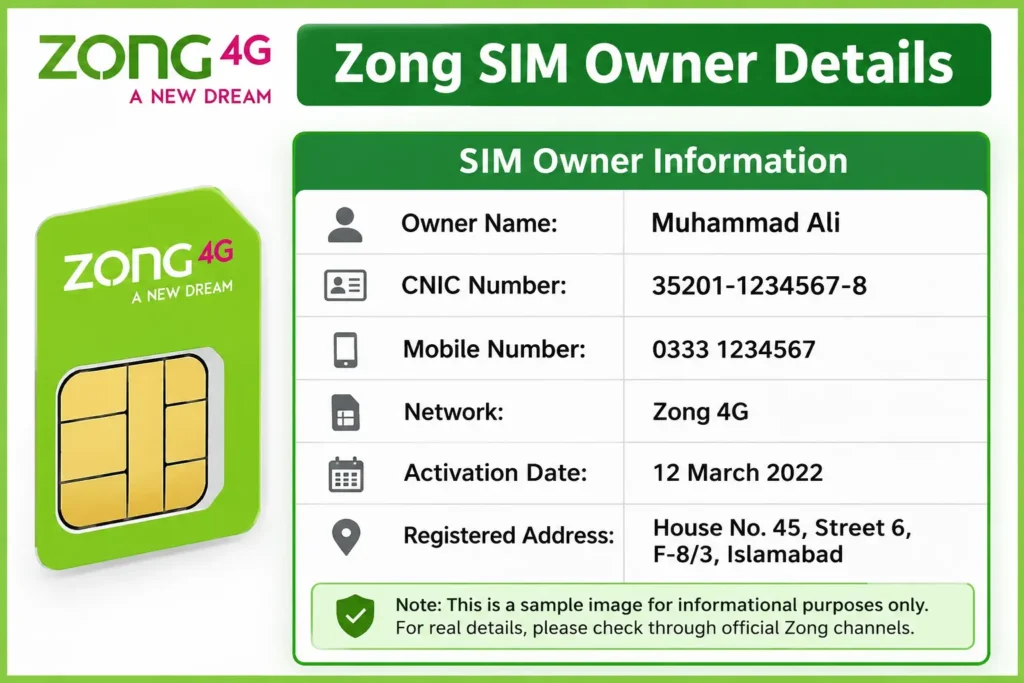
Zong SIM owner details refer to the identity and registration information tied to any Zong SIM — the registered CNIC holder’s name, masked CNIC number, activation date, BVS status, and Zong Pay wallet connection. Like every Pakistani SIM, all Zong numbers are permanently linked to CNICs through NADRA’s biometric system. In January 2026, this relationship deepened significantly: Zong signed an MoU with NADRA to introduce facial recognition as an alternative to fingerprint verification, making SIM issuance more accessible for citizens with biometric limitations. Whether you need to check how many Zong SIMs are on your CNIC, verify a specific Zong number’s ownership, or confirm biometric status, PTA provides multiple free methods — all covered in this guide.
With Zong’s growing 26% market share and its position as Pakistan’s fastest-growing 4G/5G-ready operator, it has become an increasingly attractive target for SIM fraud. Regular verification of your SIM owner details — including Zong-specific checks — is essential to protect your identity, finances, and legal standing, especially under PTA’s new June 2026 policy changes.
Free Methods to Check Zong SIM Owner Details
Method 1: CNIC to 310
Zong’s dedicated verification method to check the number of Zong SIMs registered on your CNIC.
- Type your 13-digit CNIC without dashes
- Send SMS to 310
- Receive Zong-specific SIM count
Method 2: V to 7911
Check the biometric verification status of your Zong SIM.
- Type V in SMS
- Send to 7911
- Result: Verified or Not Verified
Method 3: CNIC to 668
Check SIM registrations across all major mobile operators using the universal PTA method.
- Send your 13-digit CNIC
- SMS to 668
- View operator-wise SIM details
Method 4: MNP to 667
Verify the specific Zong SIM currently inserted in your phone.
- Type MNP
- Send to 667
- Receive owner name and masked CNIC
Method 5: My Zong App
Use the official My Zong App to access SIM and account information.
- Login with Zong number and OTP
- Go to Account → My Information
- Check registered account details
Method 6: Franchise or NADRA Kiosk
Visit an authorized Zong franchise or the dedicated NADRA kiosk for official verification.
- Bring your original CNIC
- Complete fingerprint or facial verification where available
- Request a printed SIM ownership certificate
Zong SIM Owner Information
| Information | Available Via | Access Level |
|---|---|---|
| Owner Full Name | MNP to 667, My Zong App, Franchise | SIM Holder Only |
| Masked CNIC | MNP to 667, Franchise | SIM Holder Only |
| Zong SIM Count | CNIC to 310, 668, Franchise | CNIC Holder Only |
| BVS Status | V to 7911, My Zong App | SIM Holder |
| Verification Method Used | Franchise / NADRA Kiosk Record | Fingerprint or Facial |
| Activation Date | My Zong App, PTA Portal, Franchise | Account Holder |
| 365-Day Restriction Status | cnic.sims.pk, Franchise | CNIC Holder |
| Zong Pay Linkage | My Zong App, Zong Pay App | Account Holder |
Zong Number Prefixes
| Prefix | Origin | Status |
|---|---|---|
| 0310 | Zong primary range | Active Zong |
| 0311 | Zong expansion | Active Zong |
| 0312 | Zong expansion | Active Zong |
| 0313 | Zong expansion | Active Zong |
| 0314 | Zong expansion | Active Zong |
| 0315 | Zong expansion | Active Zong |
| 0316 | Zong allocation | Active Zong |
| 0317 | Zong allocation | Active Zong |
| 0318 | Zong latest allocation | Active Zong |
If a phone number starts with 031X, it is generally a Zong number. Zong operates 9 prefixes from 0310 to 0318. When reviewing 668 results, SIMs listed under Zong correspond to these number ranges. Always confirm the current network via 76367 if the number may have been ported through MNP.
🔐 Zong Pay & SIM Financial Security
Zong Pay Digital Wallet
Zong Pay is Zong’s mobile wallet service, following the earlier Timepey and PayMax brands. It operates with Askari Bank Limited and competes with Pakistan’s leading digital payment platforms.
SIM Control = Wallet Control
Your Zong Pay wallet is directly connected with your Zong SIM. Anyone who gains control of your SIM may attempt to access your financial wallet.
OTP Protection
Transaction verification codes and security alerts are sent to your Zong SIM. A SIM swap attack can put your digital payments at risk.
SIM-CNIC Connection
Zong Pay verification depends on SIM and CNIC linkage. Unauthorized SIMs may create security risks for wallet and banking connections.
5G Digital Transactions
As Zong’s network capacity expands with new spectrum, digital payment usage and higher-value transactions may increase the importance of SIM security.
International Remittances
Funds received through international remittance services can be deposited into SIM-linked Zong Pay wallets, making account protection essential.
⚠️ Zong SIM Security Threats — 2026 Update
📲 Zong SIM Swap Fraud
Criminals may attempt SIM replacement using fake documents or illegal methods. Once a number is transferred, attackers can receive OTPs, banking alerts, and access connected digital wallets.
Check SIM ownership through 310/668 regularly. If your Zong SIM suddenly loses signal, contact Zong support immediately from another phone.
🚫 Unauthorized Zong Registration
Unauthorized SIM registrations can create legal and financial risks. Unknown SIMs registered on your CNIC may lead to complaints, blocking issues, or misuse.
Perform regular 310 and 668 checks. Always write the purpose on CNIC copies before sharing them.
🖐 Free SIM Fingerprint Scam
Fake SIM stalls may collect biometric information by pretending to offer free SIM registration. This can result in unauthorized SIM activation on your CNIC.
Only provide fingerprints or biometric verification at official Zong franchises or authorized NADRA facilities. Verify SIM records after biometric activity.
🌐 CPEC-Linked Targeting Risks
Due to Zong’s role in Pakistan-China connectivity infrastructure, some business users may face increased risks from targeted cyber fraud attempts.
Business users should monitor SIM activity regularly and prefer app-based authentication methods instead of relying only on SMS OTP.
🔐 Fraud Prevention & PTA SIM Compliance
Fraud Prevention & Identity Protection
Checking SIM details helps prevent fraud and SIM duplication risks. Unauthorized SIMs registered using stolen or copied CNIC information can create legal problems for the CNIC owner.
Regularly check SIM ownership records and remove unknown SIMs linked with your CNIC.
PTA Compliance Requirements
Following PTA guidelines helps users stay within allowed SIM limits. Extra or unauthorized SIMs linked to a CNIC may cause service restrictions or blocking issues.
Review your registered SIMs regularly and disown unnecessary connections through official channels.
Prevent SIM Misuse
Fraudulent SIMs can be used for illegal activities, creating investigation risks for the person whose CNIC is linked with the SIM registration.
Never share CNIC copies without writing the purpose and always verify unknown numbers.
❓ Frequently Asked Questions
How can I check Zong SIM owner details by number?
Finding a person's name only through a mobile number is restricted due to privacy laws. You cannot legally access another person's complete SIM ownership information online. Official SIM verification methods only provide details linked with your own CNIC.
What should I do if Zong SIM owner details are wrong?
If your Zong SIM is not registered in your own name, visit a Zong Customer Service Center with valid CNIC and complete biometric verification for ownership transfer. Keeping SIM ownership correct helps avoid security and legal issues.
Can I find Zong SIM owner details via SMS in 2026?
Yes. Sending your CNIC number to 668 helps check SIMs registered against your CNIC. For the SIM you are currently using, MNP service through 667 can provide network-related verification information.